How AI coding works, and what it can't do
Read the video transcript
Lesson 0.2. In this course, an AI writes most of your code. That's a superpower, and it's also where many beginners get hurt. In this lesson you'll see what's really happening when an AI writes code, where it's brilliant, where it fails, and the six jobs that always stay yours.
Here's the truth. The people who earn money building websites with AI aren't the ones who type the most prompts. They're the ones who understand what the AI is doing, give it what it needs, and check its work.
Tools like ChatGPT and Cursor run on a large language model. It has read an enormous amount of text and code, and it writes answers by predicting what most likely comes next. Think of a chef who has read every cookbook in the world, but has never tasted your food or met your customers. Ask for a dish, and you get something generic. Tell them who's eating, what's in the kitchen, and the flavour you want, and they cook something brilliant. The chef is the AI. What you tell them is your prompt.
That explains almost everything. The AI is great at common things, because it has seen them thousands of times. It's blind to your situation, unless you tell it. And it can be confidently wrong, because it predicts what a good answer looks like. It doesn't check facts.
You'll use two AI tools, and they do different jobs. ChatGPT is a chat in your browser. It only sees what you paste in, and it only writes text. Cursor is a code editor with AI built in. It can read your project's files, and it creates and edits them for you. ChatGPT is your architect's desk, where you plan. Cursor is your building site.
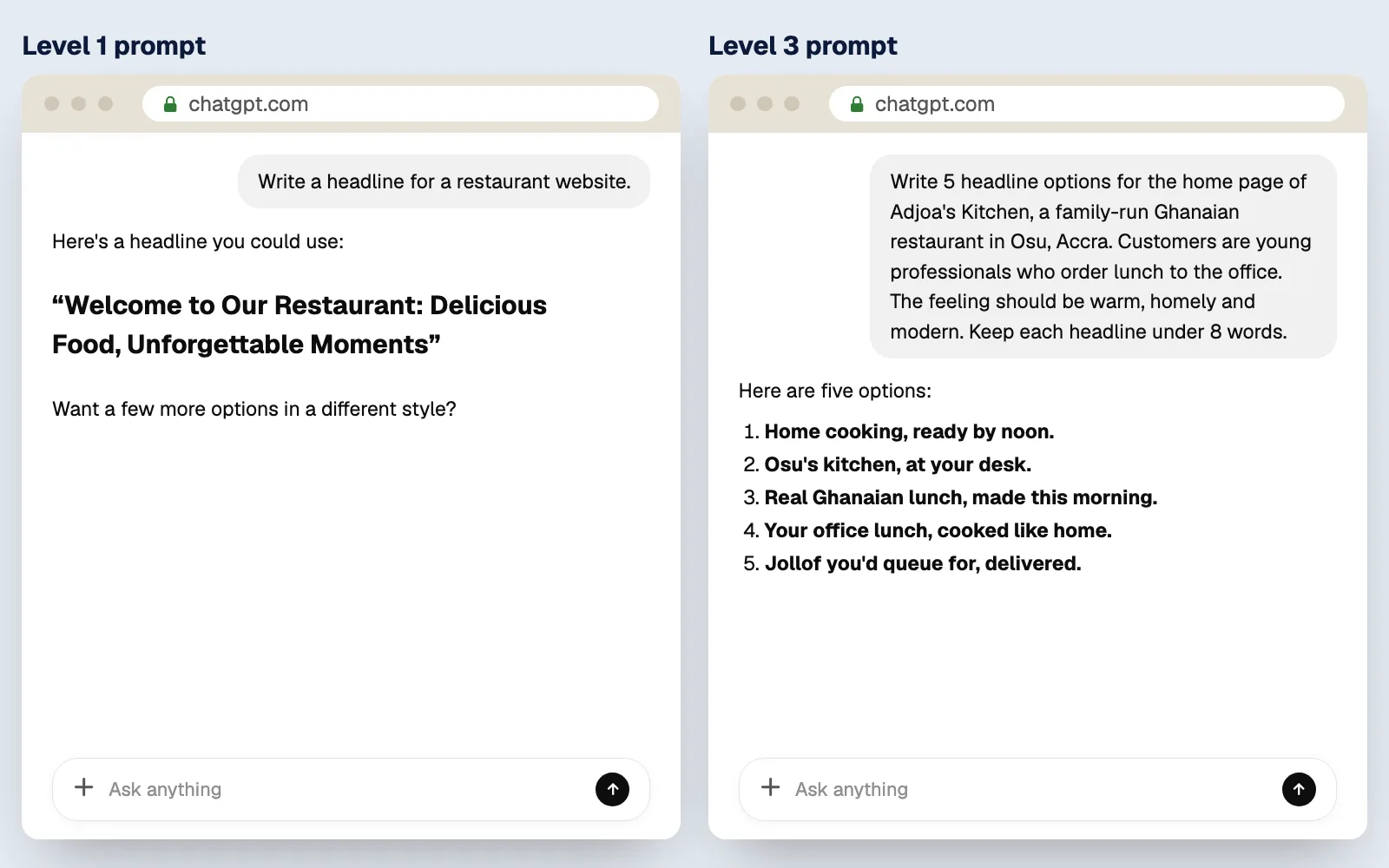
What you type to an AI is called a prompt, and it's the steering wheel. Look at these two prompts for the same thing. The first is a wish. The second is a brief: it says who the business is, who the customers are, the feeling, and the length.
The first gets you something like, Welcome to Our Restaurant. The second gets you something like, Home cooking, ready by noon. Same AI. Same few seconds of typing. The only difference is what you told it.
Here's where AI fails, and what you'll do about it. It doesn't know your business, so you give it a brief. It can be confidently wrong, so you preview after every change. It forgets in long chats, so you keep a rules file and start fresh chats. It can't judge taste, so you use a design checklist. It can be careless with security, so you never skip the security steps. And when it goes in circles, you undo with Git and describe the problem differently. You'll learn every one of these in the course.
And one rule, from today. Never paste passwords, secret keys, or customers' private data into an AI chat. Treat everything you type as something that could be stored. Error messages and code are fine.
The AI is your builder. But you're in charge of the project, and six jobs never get handed over.
One. Deciding what to build: who it's for, what it does, and how it should feel. Two. Giving context: the brief, the real content, the examples. Three. Checking the result: preview it, click every button, test it on a phone.
Four. Saving your progress, with Git, so you can always go back. Five. Protecting secrets and customer data. And six. Approving anything that costs money or can't be undone, like buying a domain, deleting data, or going live.
You'll get asked: will AI replace web developers? The honest answer: AI changed the job. It didn't remove it. Businesses still need someone who knows what to build, can direct the AI, can tell good work from bad, and takes responsibility for the result. That's what this course trains you to be.
Now try it. It takes five minutes. Open ChatGPT, send the Level 1 prompt, then start a new chat and send the Level 3 prompt. Compare them. Then write a Level 3 prompt for a real business you know: your church, a friend's salon, a shop on your street.
You can now explain what an AI coding tool is really doing, tell when to use ChatGPT and when to use Cursor, and name the six jobs that always stay yours. Do the quick check in the written lesson, then join me in Lesson 0.3, where we map out your whole journey.
Understand what's really happening when an AI writes code for you, where it's brilliant, where it fails, and the six jobs that always stay yours.
Why this matters
In this course, an AI writes most of your code. That's a superpower, and it's also where many beginners get hurt. They treat the AI like a magic machine: type a wish, get a website. When the result is generic, broken or wrong, they don't know why, and they don't know how to fix it.
The people who earn money building websites with AI aren't the ones who type the most prompts. They're the ones who understand what the AI is doing, give it what it needs, and check its work. That's what you'll learn to do, starting with this lesson.
The idea in plain English
What an AI coding tool actually is
Tools like ChatGPT and Cursor run on a large language model, or LLM. An LLM has read an enormous amount of text: books, websites, documentation, and millions of examples of code. From all that reading, it learned the patterns of how words and code usually fit together.
When you ask it something, it writes an answer one small piece at a time, each time picking what is most likely to come next, based on everything you've told it so far.
This explains almost everything about working with AI:
- It's brilliant at common things, because it has seen them thousands of times: navigation bars, contact forms, pricing tables, login pages.
- It doesn't know your situation unless you tell it: your business, your customers, your colours, your real prices.
- It sounds confident even when it's wrong, because it's predicting what a good answer looks like, not checking facts.
ChatGPT and Cursor: two tools, two jobs
You'll use two AI tools in this course, and they do different jobs.
| ChatGPT | Cursor | |
|---|---|---|
| What it is | An AI you chat with in a browser | A code editor with AI built in |
| Can it see your project? | Only what you paste in | Yes, it can read your project's files |
| Can it change files? | No, it only writes text | Yes, it creates and edits files for you |
| Your main use | Planning, writing briefs, images, questions | Building and fixing the website |
The prompt is the steering wheel
What you type to an AI is called a prompt. The AI can only work with what it's given, so the quality of your prompt decides the quality of the result.
In Module 2 you'll learn the five prompt levels. For now, see the difference between two prompts for the same thing:
The first prompt gets you something like "Welcome to Our Restaurant". The second gets you something like "Home cooking, ready by noon." Same AI, same seconds of typing. The only difference is what you told it.
What AI is great at
- Writing code fast: whole pages and features in minutes
- Common patterns: menus, forms, layouts, buttons, login screens
- Explaining: "What does this line do?" in plain English, as many times as you need
- Finding mistakes: reading an error message and suggesting a fix
- First drafts: headlines, descriptions, images, ideas
Where AI fails (and what you'll do about it)
| Where it fails | What it looks like | What you'll do |
|---|---|---|
| It doesn't know your business | Generic text, made-up prices, the wrong feel | Give it a proper brief (Module 2) |
| It can be confidently wrong | Code that looks right but doesn't work, or uses settings that don't exist | Preview after every change; fix with the bug-report prompt (Module 5) |
| It forgets | In long conversations it loses track of earlier decisions | Keep a project rules file and start fresh chats for new tasks (Module 2) |
| It can't judge taste | Websites that all look the same | Use your design checklist (Module 3) |
| It can be careless with security | Secret keys in the wrong place; data left open to anyone | Follow the security steps in Stage 2. Never skip them. |
| It can go in circles | Fixes one thing, breaks another, tries the same fix again | Stop, undo with Git, and describe the problem differently (Module 5) |
The six jobs that always stay yours
AI is your builder, but you're the one in charge of the project. These six jobs never get handed over:
- Deciding what to build. Who it's for, what it must do, and how it should feel.
- Giving context. The brief, the real content, the examples.
- Checking the result. Preview it, click every button, test it on a phone.
- Saving your progress. Commit your work with Git so you can always go back.
- Protecting secrets and data. Keys, passwords and customer information.
- Approving anything that costs money or can't be undone. Buying a domain, deleting data, going live.
Will AI replace web developers?
It's a fair question, and you'll get asked it. The honest answer: AI has changed the job, not removed it. Businesses still need someone who knows what to build, can direct the AI, can tell good work from bad, can fix it when it breaks, and can take responsibility for it. That's what this course trains you to be.
Try it
You'll feel the difference between a weak and a strong prompt yourself. This takes five minutes.
- Open chatgpt.com in your browser. You can use it without an account for now; you'll create your proper account in Module 1.
- Paste the Level 1 prompt from above and send it. Read the answer.
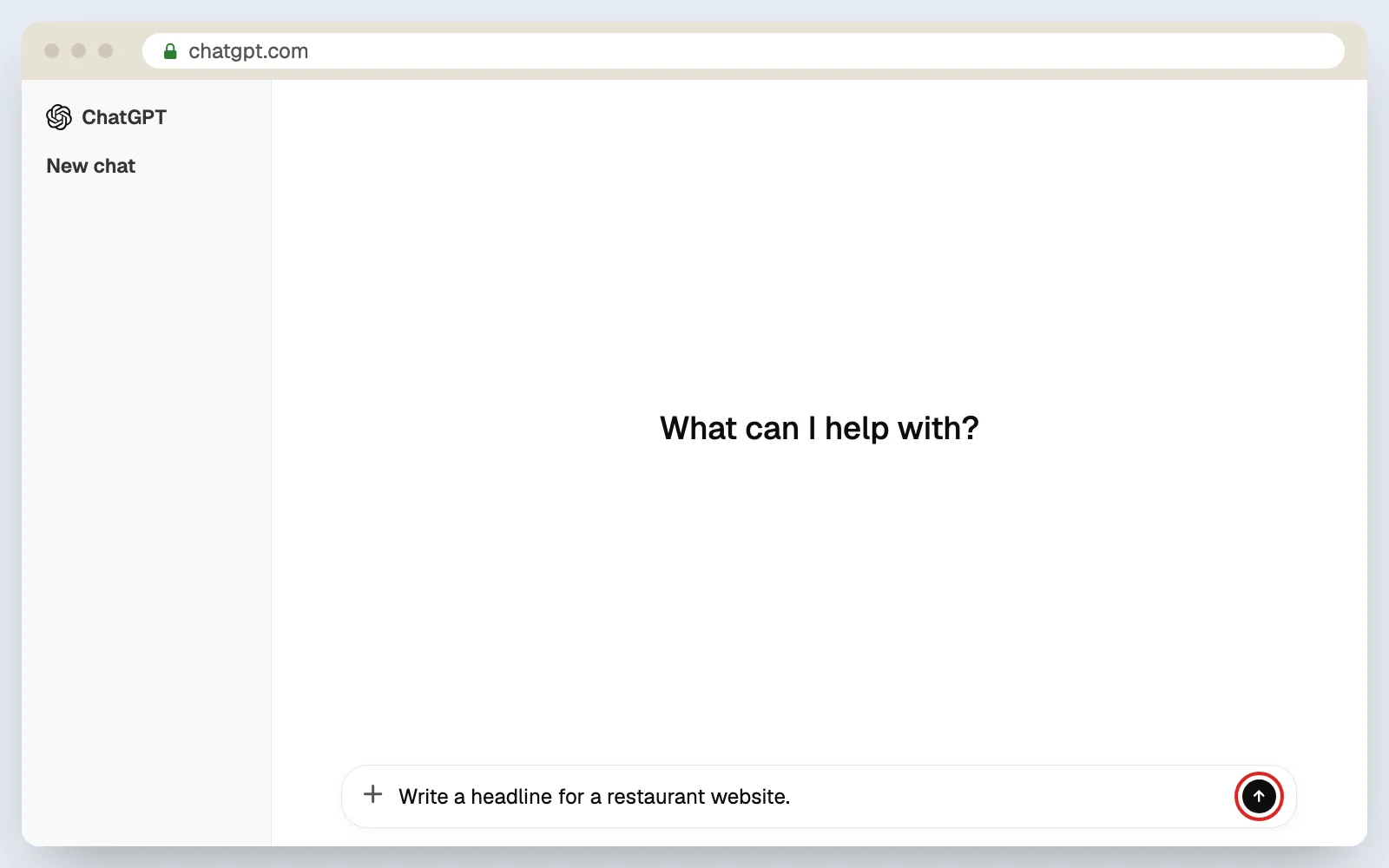
- Click New chat (top left) so the AI starts fresh.
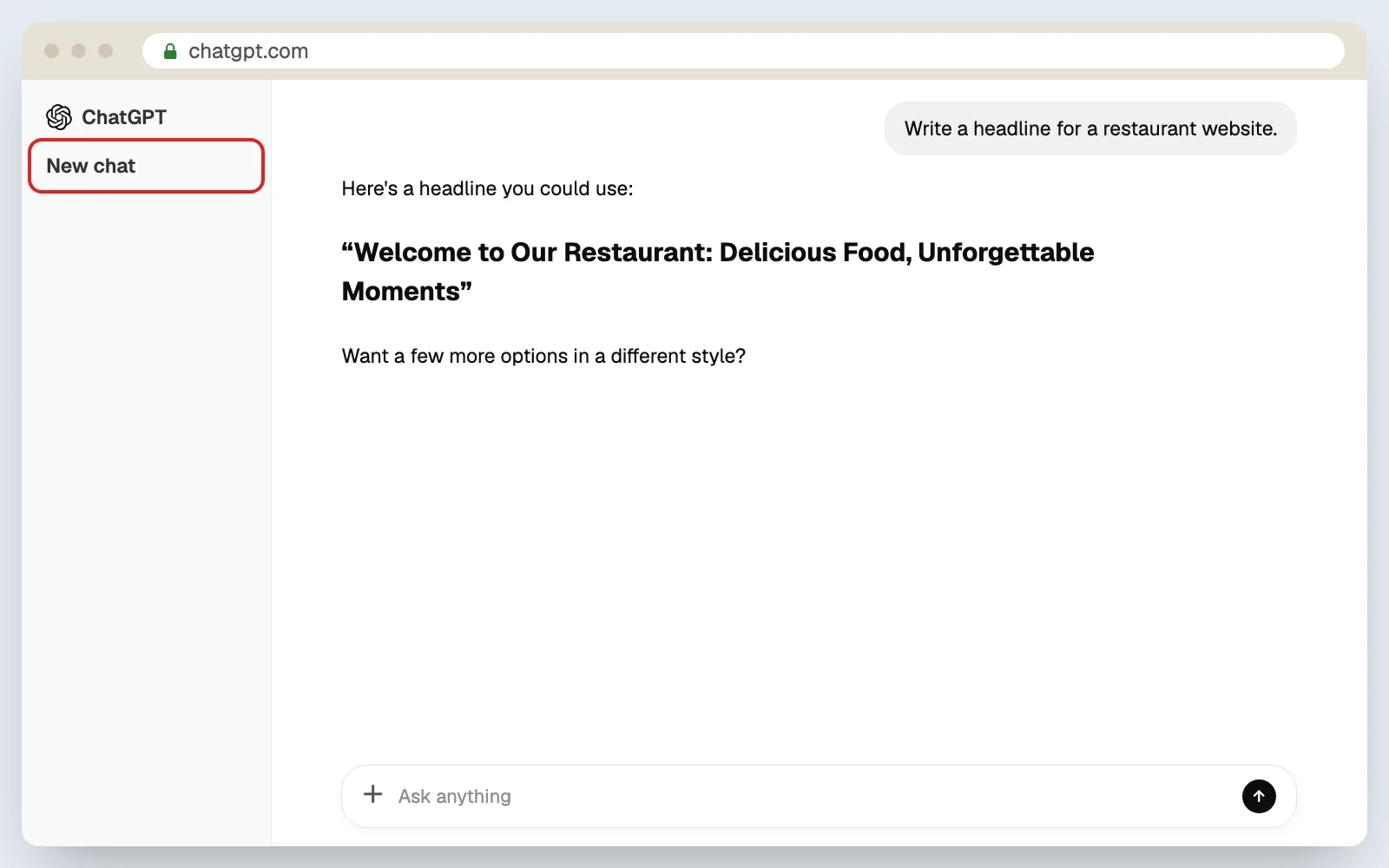
- Paste the Level 3 prompt and send it. Read the answer.
- Compare them. Which headlines could you actually put on a real restaurant's website?
- Now try it with a business you know: your church, a friend's salon, a shop on your street. Write a Level 3 prompt with their details and see what comes back.
I’m stuck
ChatGPT asks me to log in. You can usually close the pop-up and keep chatting. If it insists, skip this exercise for now. You'll create your account in Lesson 1.3 and can come back to it.
My answers look different from the examples. That's expected. AI gives a slightly different answer every time. What matters is that the second answer is more specific than the first.
Check it worked
Quick check
What you can do now
- Explain what an AI coding tool is really doing when it writes code
- Tell when to use ChatGPT and when to use Cursor
- Name the six jobs that always stay yours
Next: 0.3 · Your path and your tools. Now that you know what the AI does, let's map out the whole journey and every tool you'll meet on it.