How to learn here and never stay stuck
Read the video transcript
Lesson 0.4. One last lesson before you start building: how to study, and exactly what to do the moment something goes wrong.
You will get stuck. Everybody does. Beginners, professionals, and the person who wrote this course. Getting stuck isn't a sign you're not good enough. What separates people who finish from people who quit is what they do next.
First, how to study. Little and often beats long and rare: 45 minutes, four days a week, works far better than one exhausted six-hour Saturday. Do, don't just read: follow the steps on your laptop as you read. And end every session on a win, with the lesson's "Check it worked" list fully ticked. Oh, and follow the lessons in order. Skipping ahead is the most common reason things don't work.
Now, the 15-minute rule. When you hit a problem, try on your own for 15 minutes. Re-read the step, check the help box, ask the AI. After 15 minutes with no progress, stop, and ask for help. Struggling longer rarely teaches you more. It just drains your energy.
Here are the steps to get unstuck, in order. Step one: breathe, and read the message. Error messages look scary, but they usually tell you exactly what's wrong. Look for a file name, a line number, or words like not found or missing.
Step two: check the lesson's "If you're stuck" box. The most common problems are already there, with fixes. Step three: ask the AI, properly.
Use this simple help prompt. Say you're a beginner, what you were trying to do, what you expected, what happened instead, and paste the exact error. Then ask for a plain English explanation and the fix, step by step. Just check that nothing you paste contains a password or a secret key.
Step four: if things got worse while you were fixing them, undo, and go back to the last version that worked. From Lesson 2.8 onwards, you'll save your work with Git after every change that works, so undoing is always possible. And step five: ask a person, in the course's WhatsApp community.
When you ask a person, use a Stuck Report. The lesson, the step, what you're trying to do, what you expected, what happened, the error message, and what you've already tried. A specific question gets a fast, useful answer. A vague one, like it's not working, gets more questions back.
And here's the surprising part. Filling in the Stuck Report often solves the problem by itself. Writing down exactly what you expected, and what actually happened, makes you look closely, and you spot the mistake. Programmers call this rubber-ducking. You'll find it works.
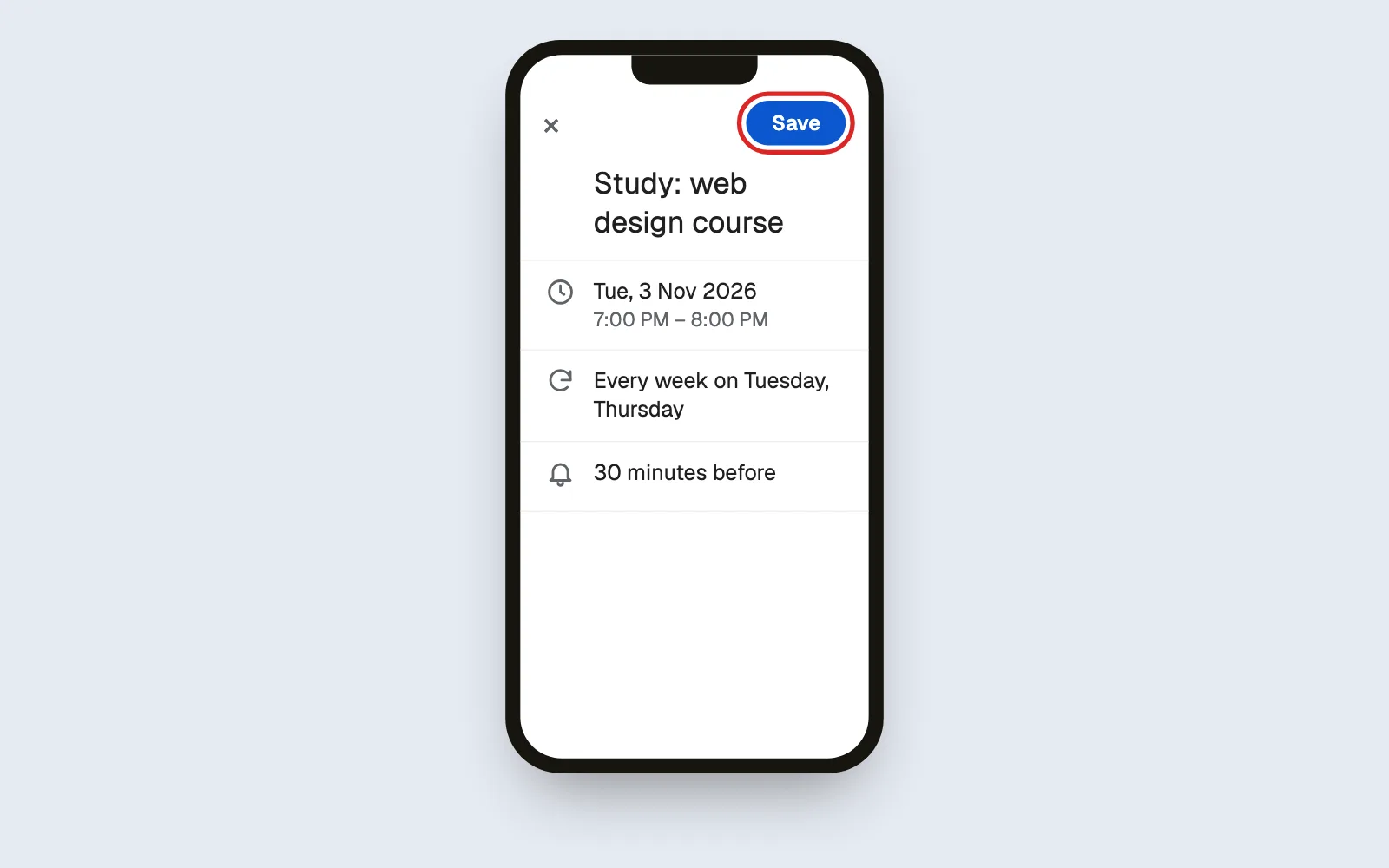
Now, set yourself up. Put this week's study times in your calendar, with reminders. Save the help prompt and the Stuck Report somewhere you can find them quickly. And practise one Stuck Report, on any small problem you had recently with your phone or laptop.
And that's Module 0 done. You understand how websites work, and you've edited one. You know what AI can and can't do, and the six jobs that stay yours. And you have your path, your tools, and a plan for when you get stuck. Write today's win in your notebook. Next, in Module 1, we set up your tools, the professional way.
Set up a study routine that works, and learn the exact steps to take the moment you get stuck, so a problem costs you minutes, not days.
Why this matters
You will get stuck. Everybody does: beginners, professionals, and the person who wrote this course. Getting stuck isn't a sign you're not good enough. It's a normal part of building anything.
What separates people who finish from people who quit isn't how often they get stuck. It's what they do next. People who quit stare at the problem for hours, feel stupid, and stop. People who finish follow a simple routine that gets them moving again.
This lesson gives you that routine.
The idea in plain English
How to study this course
Little and often beats long and rare. Forty-five minutes on four days a week works far better than one exhausted six-hour Saturday. Your brain needs sleep between sessions to make new skills stick.
Do, don't just read. Every lesson has steps to follow. Follow them, on your laptop, as you read. Reading a lesson without doing it is like reading about swimming.
One lesson, one win. End each session on a lesson's "Check it worked" list, with every box ticked. Stopping halfway through a lesson makes it harder to start again next time.
Follow the order. Each lesson builds on the one before. Skipping ahead is the most common reason things don't work.
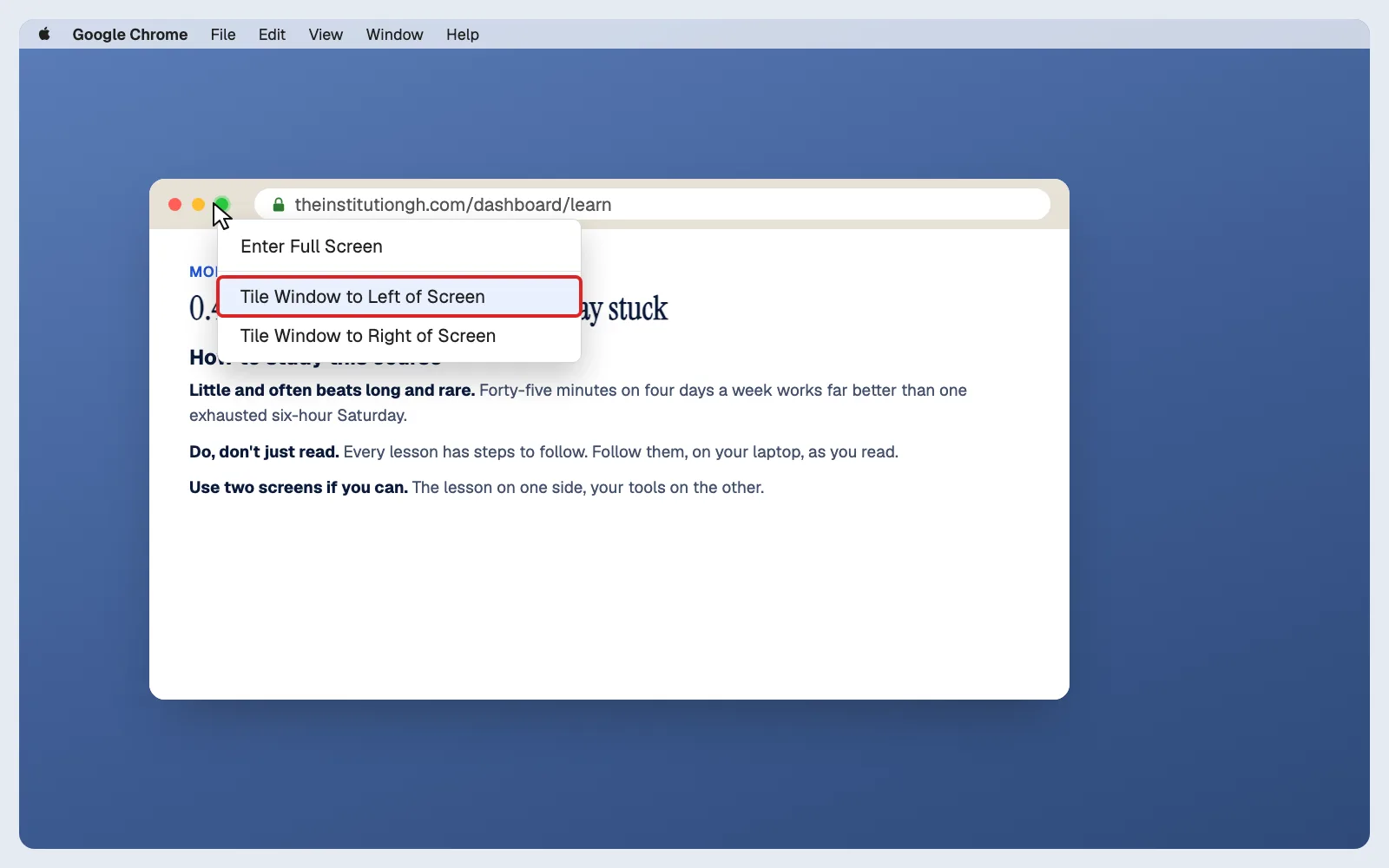
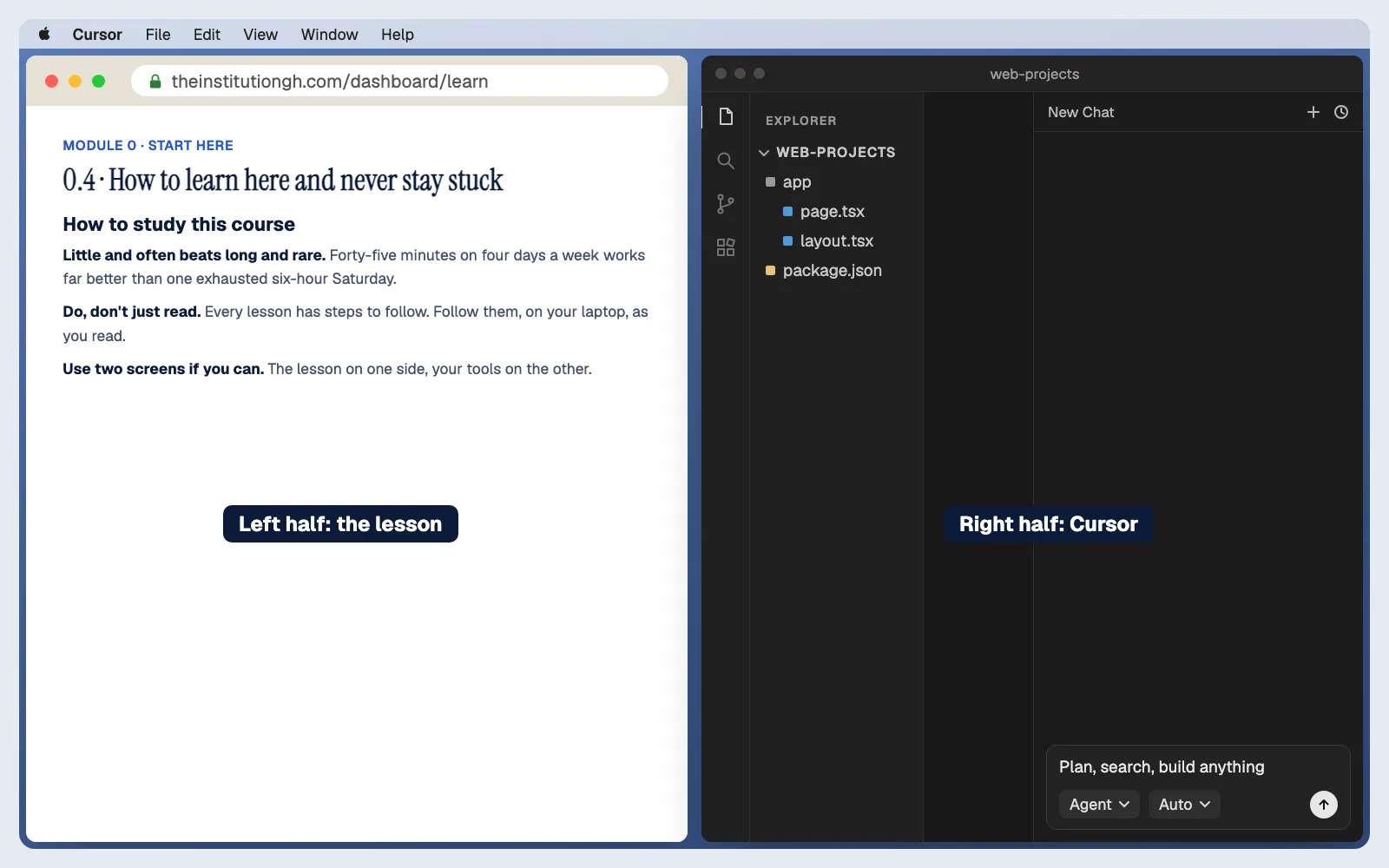
Use two screens if you can. The lesson on one side, your tools on the other. On a single laptop screen, put them side by side: the lesson on the left half, Cursor or your browser on the right.
Your builder's notebook
Keep writing in the notebook you started in Lesson 0.3. After each session, write three short lines:
- What I did: "Set up GitHub and turned on two-factor login."
- What worked: prompts that gave great results. Copy them in. They become your personal prompt library.
- What I'm unsure about: questions to look into or ask.
It takes two minutes and it does two things: it shows you how far you've come on days when you feel slow, and it saves you from solving the same problem twice.
The 15-minute rule
When you hit a problem:
- Try on your own for 15 minutes. Re-read the step. Check the "If you're stuck" box in the lesson. Ask the AI using the steps below.
- After 15 minutes with no progress, stop and ask for help. Struggling for longer rarely teaches you more; it just drains your energy.
Fifteen minutes is long enough to learn something from trying, and short enough that you don't lose your whole evening.
The getting-unstuck steps
Work through these in order. Most problems are solved by step 3.
1. Breathe and read the message. If there's an error message, read it slowly, word by word. Error messages look scary, but they're usually telling you exactly what's wrong. Look for a file name, a line number, or plain words like "not found" or "missing".
2. Check the lesson's "If you're stuck" box. The most common problems at every step are already listed, with fixes.
3. Ask the AI, properly. Copy the full error message and describe what you were doing. (You'll learn a full bug-report prompt in Module 5. For now, use the one below.)
4. Undo and try again. If things got worse while trying to fix them, go back to the last version that worked. From Lesson 2.8 onward you'll save your work with Git after every change that works, so undoing is always possible. (Module 5 shows you how.)
5. Ask a person. If you're still stuck after 15 minutes, ask for help with a Stuck Report.
The Stuck Report
When you ask for help, from a classmate, a friend, or in the course's WhatsApp community, a good question gets a fast answer. A vague question ("it's not working, help") gets more questions back, and you lose hours.
Copy this template and fill it in:
Here's the surprising part: filling in the Stuck Report often solves the problem by itself. Writing down exactly what you expected and what actually happened forces you to look closely, and you spot the mistake. Programmers have a name for this: talking it through with a rubber duck. You'll find it works.
I’m stuck
I feel like I'm too slow. Everyone learns at a different speed, and the course has no deadline. Look at your notebook: compare what you know today with Day 1.
I keep getting stuck on the same kind of thing. Write it down. Patterns in your notebook show you exactly which lesson to revisit.
I'm stuck and don't even know what to ask. Use the Stuck Report anyway, filling in only the parts you can. "I don't know what I expected" is useful information too.
Try it
- Plan your week. In your notebook, write the exact days and times you'll study this week. Put them in your phone's calendar with a reminder.
- Save the two templates. Copy the Simple help prompt and the Stuck Report into your notebook or a note on your laptop, where you can find them quickly.
- Practise the Stuck Report. Think of any small problem you had recently with your phone or laptop (an app not opening, Wi-Fi not connecting). Fill in the Stuck Report for it. Notice how much clearer the problem becomes.
Check it worked
Quick check
What you can do now
- Study with a routine that actually works
- Get yourself unstuck in minutes with the getting-unstuck steps
- Ask for help in a way that gets you a fast, useful answer
You've finished Module 0. You understand how websites work, what AI can and can't do, the whole path ahead, and how to keep moving when it gets hard. Write today's win in your notebook.
Next: Module 1 · Your Starter Setup. Time to set up your tools, the professional way.